

Compucom's
AI Chat
Compucom | 2021 - 2023
Research + Strategy
AI + Machine Learning
UX / UI Design
Compucom is an IT services provider.
When I joined the team in 2021, my first project was to redesign our current chat feature. Customers complained that the feature wasn't user friendly and wanted a way for their employees to be connected with solutions they could do themselves.
At Compucom, our service desk agents were getting bombarded with easy, repetitive tasks that were slowing them down and weren't challenging.

PRIMARY RESEARCH
-
Observation Studies | Going more in-depth and gathering context around user's preferences.
-
Surveys | Gathering initial reactions + IT expectations of chat features.
-
Reading Old Chat Transcripts | The heart + soul of this project. Taking notes on our past conversations with users.
SECONDARY RESEARCH
-
Reading Articles | New technology requires a lot of introduction.
-
Benchmarking | Seeing what other companies are up to with these same technologies.
PRIMARY RESEARCH
Observations
Objective : How does the user interact with the chat feature (i.e. what do users like + when do users feel confused).
Format : The user was given 7 chat experiences (all different companies) with tasks for each. Each task was to be completed in the chat feature while users talked their thoughts aloud.
7 participants | all tech levels | ages 22 - 59

listen to a few examples
“I don’t like talking to people over the phone. Phone calls like that seem to always take too long. The chat would be easier because they might have pre-answered items to send you.”
20’s | moderately tech-savvy
" I skip the bot completely and I just say ‘agent’ or ‘live agent’. It’s when you actually get to talk to somebody live, that thing’s actually get to start going.”
50’s | very tech-savvy
“I like having the option to weed out the issue before talking to somebody.”
20’s | moderately tech-savvy
PRIMARY RESEARCH
Common IT Issues Survey
Objective : Find a common theme between what issues users would bring to the chat feature and why. Helps us find initial automations and initial reactions to the depth of the chat experience.
Format : Have users rank 10 common IT issues on three categories – likelihood to bring to the chat, urgency, simplicity.

PRIMARY RESEARCH
Reading Old Chat Transcripts
As a team of 5, we manually read through 475 transcripts. After reading we came back together to discuss what we had seen to find common pain points + issues we could solve.
To start preparing for a machine learning model, we created naming conventions for each script to show patterns in what our users chatted about.

PRIMARY RESEARCH
Meet Cindy

PRIMARY RESEARCH
Meet Cindy
A real example of someone who didn't receive help when initiating a chat.

PRESENTING OUR FINDINGS
Monthly Showcases
We presented 3 different showcases about the chat: describing our research findings, designs, and demos of the new product. These presentations directly informed our stakeholders about why we made certain decisions and why certain features were crucial to the chat's success.
RESEARCH SYNTHESIS
Major Insights
01
Our users had no idea how long they had to wait for an agent when connected.
02
19% of our users were coming in about already existing tickets.
03
We had a complex point of entry with way too many questions.
VIDEO
Introducing our New Chat Feature

watch the video for a full explanation
ENHANCEMENTS
Customer Greetings
When an agent connected into the chat they asked anywhere from 2 - 7 questions before they were able to begin troubleshooting. A lot of these questions included employee ID, contact number, email, location, IP address, etc.
As their IT service, we already had this information – so why were we asking them again?
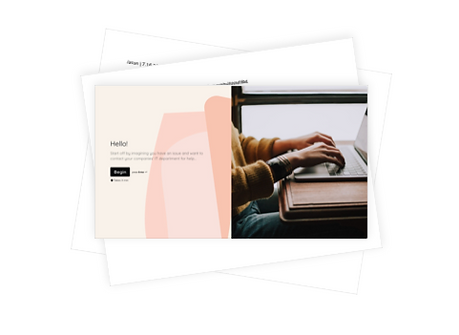
Instead, we included a contact information confirmation page. Now agents only have to ask one question when connecting, "How can I help you today?"


ENHANCEMENTS
On Behalf Of
People are generally helpful – so it makes sense that when your coworker has a login issue, you might take the lead and enter a chat conversation for them.
We saw this happen a few times and wanted to give these users an even easier way to do this. Now they can enter the email address of who needs help and give the agent their contact information for future contacts. No longer being stuck in the middle.
SECONDARY RESEARCH
Articles
How might we...
ENHANCEMENTS
Pre-populating Open Tickets
19% of our current chats were regarding open tickets. Since this was so common, we wanted to provide a super easy way for the user to get an update.
In the past, the user would have to remember + tell the service desk agent the 8-digit ticket number. Instead, we pre-populated all their open tickets so that chatting about an open ticket was as easy as a few clicks.


ENHANCEMENTS
Continuing Conversations
In our old experience, the user would have to repeat themselves when going from the digital assistant to an agent. But alas, no more! All conversation carry over and create a seamless transition.
ENHANCEMENTS
Agent Availability Transparency
For abandoned calls, users would wait 26min on average before an agent would enter the chat. During that time, we had no contact with the user. We didn't tell them anything about the wait time or when we would answer, even if after hours of operation.
In the new experience, we wanted to personalize the agent availability. We now let users know if agents are available or if they are busy and might have a longer wait time. We let users know when the agent is about to come on and the name of who they are chatting with. We also created a special after hours screen + error messages.
We are currently working on implementing a queue for an even better way to estimate wait times.


FINAL RESULTS
Where We Are Today
The new chat feature was researched, designed, and developed in three months!
As of today, 11 customers have been onboarded to the new experience and we've added the ability to chat in 13 languages.
With more exciting features coming :
-
Users place in queue
-
Adding attachments
-
Automations
-
+ more